10 Tips for Choosing a Laser Cutting Machine
Choosing a Laser Cutting Machine is a practical decision, not a contest for the highest wattage. The right system should match your materials, workload, workspace, and budget. A machine that cuts thin acrylic beautifully may struggle with thick steel or long production shifts. Fit matters.
Laser pioneer Theodore Maiman is often credited with the observation, “The laser is a solution looking for a problem.” That reminder is useful when comparing equipment: define the work before choosing the machine. This guide introduces ten considerations, from laser type and power to bed size, software, ventilation, safety features, maintenance, and supplier support. Each can affect cut quality, operating costs, and daily reliability.
Look beyond glossy sample cuts. Ask for a test using your own material and thickness, then inspect the edge, kerf, and consistency across the workpiece. Check how quickly routine tasks can be completed. Confirm that replacement parts and technical help are accessible. Small details matter.
There is no perfect machine for every shop. Even a careful checklist can miss a real production constraint, so leave room to reassess. The following tips provide a clear starting point for comparing options and choosing a Laser Cutting Machine that suits the work you actually do.
Define Your Materials, Project Scope, and Production Goals
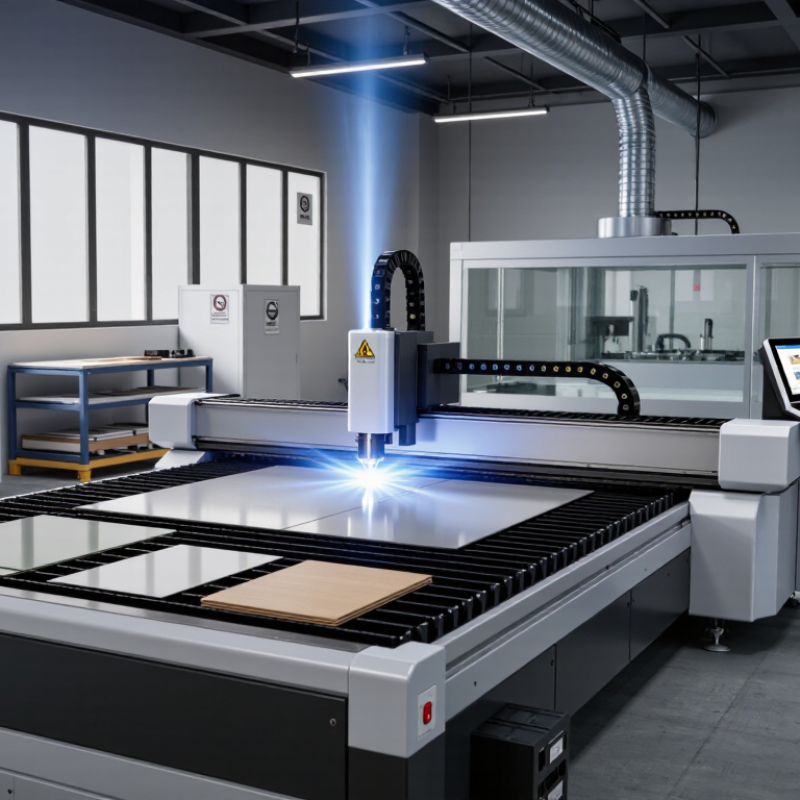
Before comparing laser cutting machines, list the materials you actually plan to process. A machine suited to thin plywood may not cut metal effectively, and some plastics can release hazardous fumes when heated. Check each material’s composition, thickness, and surface finish. Reflective metals, painted sheets, and layered boards can behave differently from plain samples. Small details matter.
Define the largest part you need to cut, not just the average one. Measure usable bed space, including room for clamps and material movement. Then estimate weekly production: a few prototypes need different capacity from repeated batches. Record expected cut lengths, engraving time, and acceptable edge quality. These figures help you assess working area, power, motion speed, and cooling requirements without paying for capacity you may rarely use.
Set clear production goals, such as parts per shift, dimensional tolerance, or a clean edge with minimal finishing. Ask whether the machine can maintain those results across your chosen material thicknesses. Test cuts help. Request sample results or run a small trial using your own material, and inspect the edge for scorching, burrs, and variation. Even a careful plan can miss a practical constraint, such as ventilation space or the time needed to load sheets. Include those limits in your purchase criteria.
Compare Laser Types, Power Levels, and Cutting Capabilities
Choosing a laser cutting machine starts with the materials you use most. CO2 lasers commonly cut wood, paper, and many plastics. Fiber lasers are suited to cutting thin and thick metals, depending on their power and setup. Diode lasers can handle some thin materials, but they are not a universal substitute. Check wavelength compatibility, not just the machine’s advertised material list.
Tip: Match the laser type to your regular workload. Test a sample from your actual material supplier when possible. A chart can look convincing, but coatings, color, and material composition can change the result. I would not treat one successful test as proof of consistent production quality.
Power affects cutting speed and the thickness a machine can process, but it is only part of the picture. Focus, beam quality, cooling, and assist-gas settings also matter. A 40-watt system may cut thin wood cleanly, while thicker stock may need slower passes or more power. Compare rated cutting capacities at realistic speeds. It is easy to overvalue wattage; check that assumption with sample cuts, and note any rough edges or discoloration.
Laser Cutting Capability: Representative Examples
Compare laser types, power levels, and typical material thicknesses when evaluating a machine.
These are representative practical examples, not guaranteed machine limits. The materials differ, so the figures are not a direct performance ranking. Actual results depend on material grade, assist gas, optics, cutting speed, and desired edge quality.
Review Safety Features, Software, and Maintenance Requirements
A laser cutter should be safe to operate before its speed or price impresses you.
Check that the enclosure blocks access to the beam and that door interlocks stop cutting when opened. OSHA’s machine-guarding guidance, 29 CFR 1910.212, offers a useful baseline for evaluating guards and hazardous moving parts. Ask how fumes are extracted and filtered, then confirm replacement filters are available.
Small details matter. A warning light cannot replace a functioning interlock.
Test the control software with your typical files, materials, and thicknesses. Confirm that it supports the machine’s controller, displays cutting parameters clearly, and lets operators preview toolpaths before a job starts. Ask about software updates, training, and file backups; these are easy to overlook during a sales demonstration.
Maintenance deserves the same scrutiny. Find out how often lenses, mirrors, filters, cooling systems, and motion components need inspection, and whether routine checks require specialist service. The U.S. Department of Energy’s Operations & Maintenance Best Practices Guide reports that predictive maintenance can reduce downtime by 35–45% compared with reactive maintenance. That figure is not a laser-cutter guarantee, but it shows why planned upkeep matters.
I would still budget for unexpected repairs. One clogged filter can disrupt a whole shift.
Compare Total Cost, Warranty, Support, and Test Results
A laser cutter’s listed price is only the starting point. Add installation, ventilation, training, replacement lenses, and routine cleaning supplies. Electricity costs vary with operating hours, while downtime can cost more than a small component. That adds up. Ask for a written estimate covering the first year, not just the machine and delivery.
Read the warranty carefully. Check how long coverage lasts, which parts are excluded, and who pays shipping or labor. Small print matters. Ask what happens if a laser tube or controller fails, and whether replacement parts are stocked locally. Support should include clear troubleshooting steps, not only a promise to respond. A useful test is to ask a technical question before buying and note how specific the reply is.
Test results deserve equal scrutiny. Request a cut using your own material, such as a 6 mm plywood sheet, and inspect the edge for scorching, taper, and rough spots. Check engraving detail and repeatability across several passes. Test it yourself. Record the material, thickness, speed, power, and lens used; otherwise, the numbers are hard to compare. Even a polished sample can hide inconsistent results. Comparisons are rarely perfect, so note what you could not verify and ask for another test if the first one feels too convenient.